 Nomodoro

Focus
Pick one task and start a big visual countdown. Add rain or waves if you like.
Nomodoro is a calm visual pomodoro for iPhone. Pick one task, start a soft countdown, and let your doodle companion and slime squad keep you company — they even feel your mood.
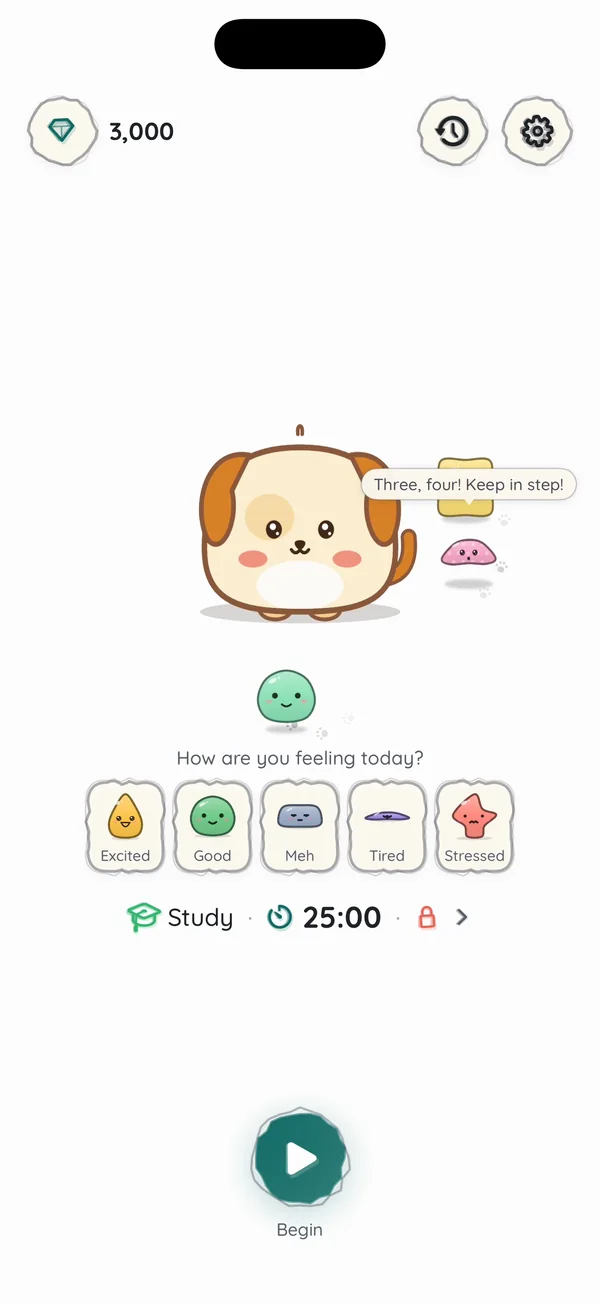
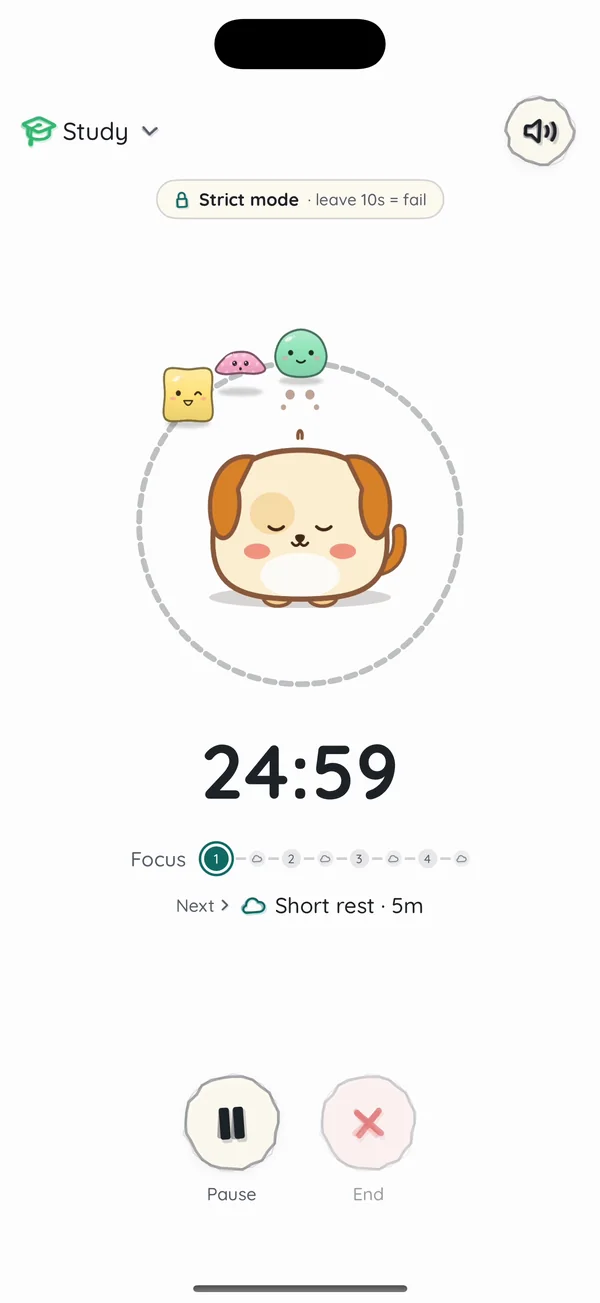
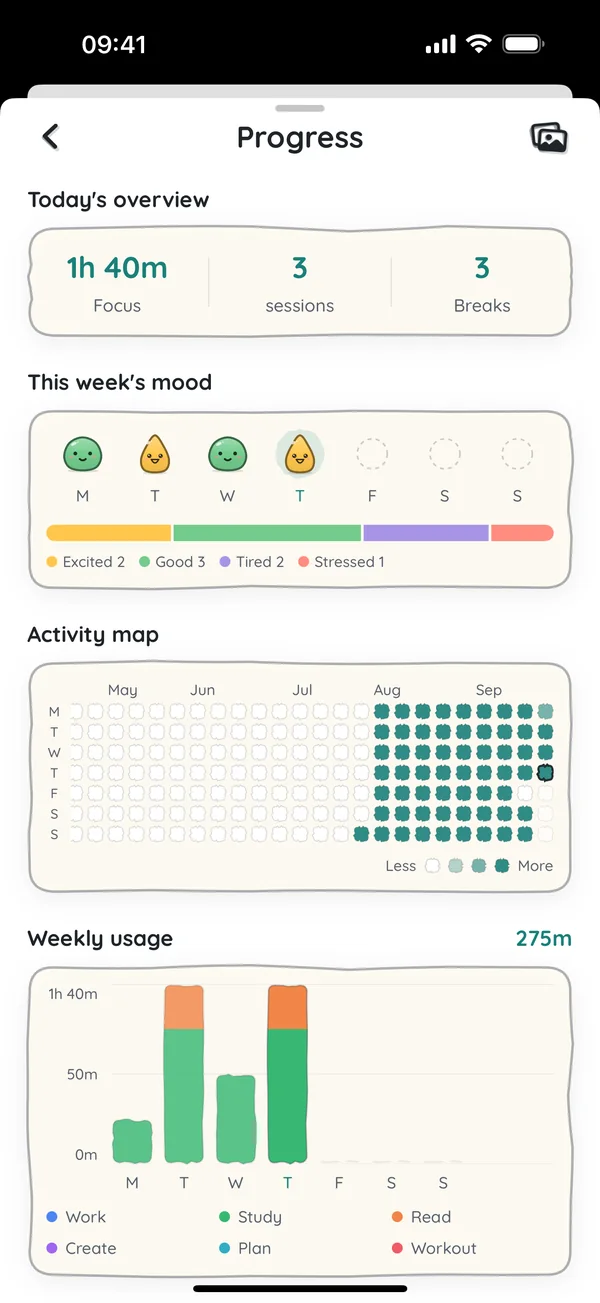



No setup maze. Just one task, one countdown and a friend who stays with you.
Pick one task and start a big visual countdown. Add rain or waves if you like.

Breathe between rounds and tell Nomodoro how you feel. Your companion rests too.
After a few rounds take a long break, earn gems and unlock new friends.
Everything you need to begin — and quiet depth when you’re ready for more.

A big ring, a calm timer and a companion that dozes while you work. Countdown or count-up, with short and long rests built in.

Set your daily windows and pick the apps that pull you away. They stay locked — even when Nomodoro is closed. Finish a focus session and they open for exactly your break, then lock again.
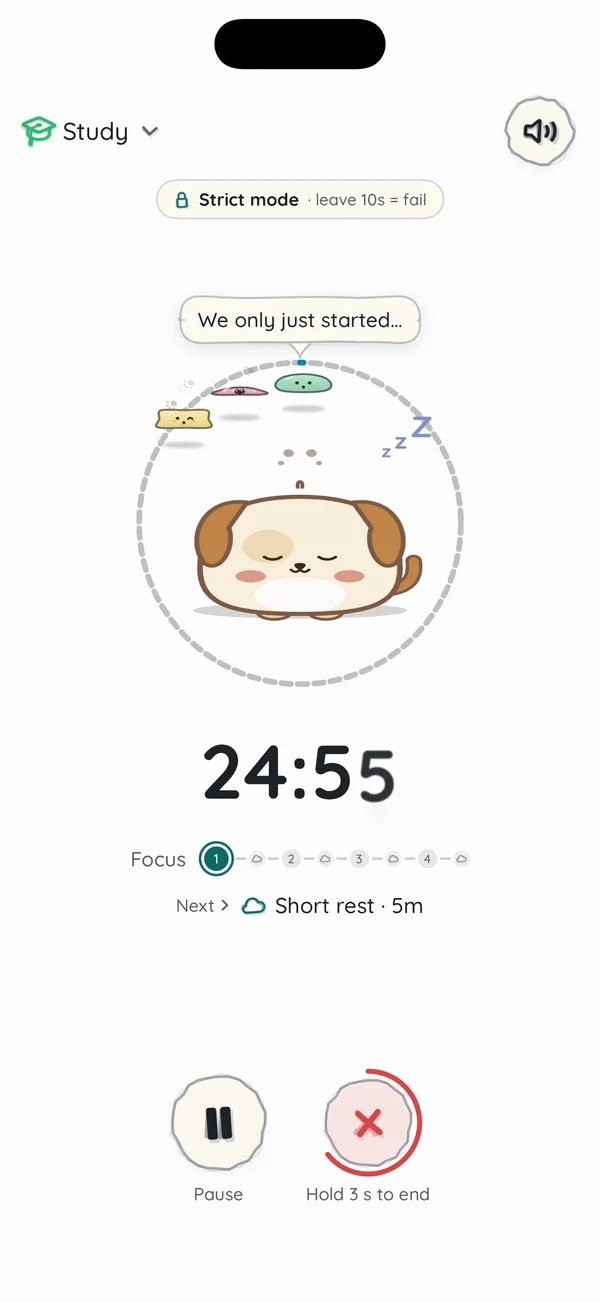
No more one-tap escapes. Hold End and your buddy and slimes get sadder each second… let go and they cheer. A tiny pause that saves a lot of sessions.
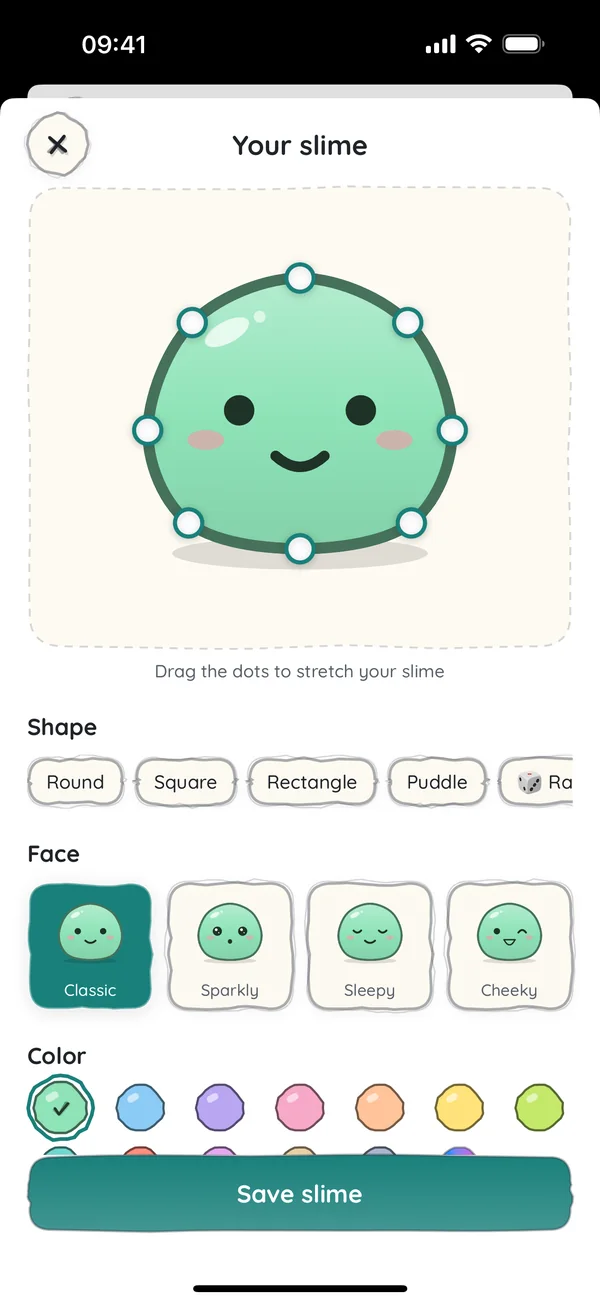

Drag the dots to shape your slime, then pick a color, a face and a pattern. It joins your squad and bounces around the timer while you focus.
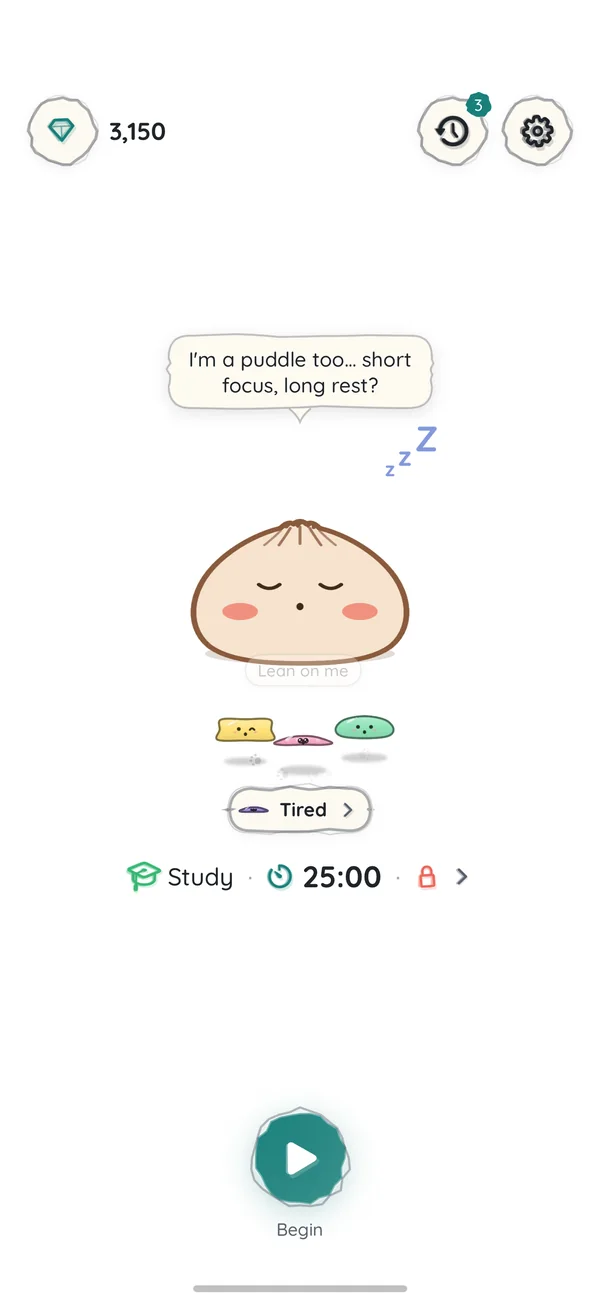
Tell Nomodoro how you feel. Tired, and your slimes melt into puddles. Excited, and they bounce. Your companion even suggests a shorter focus on heavy days.
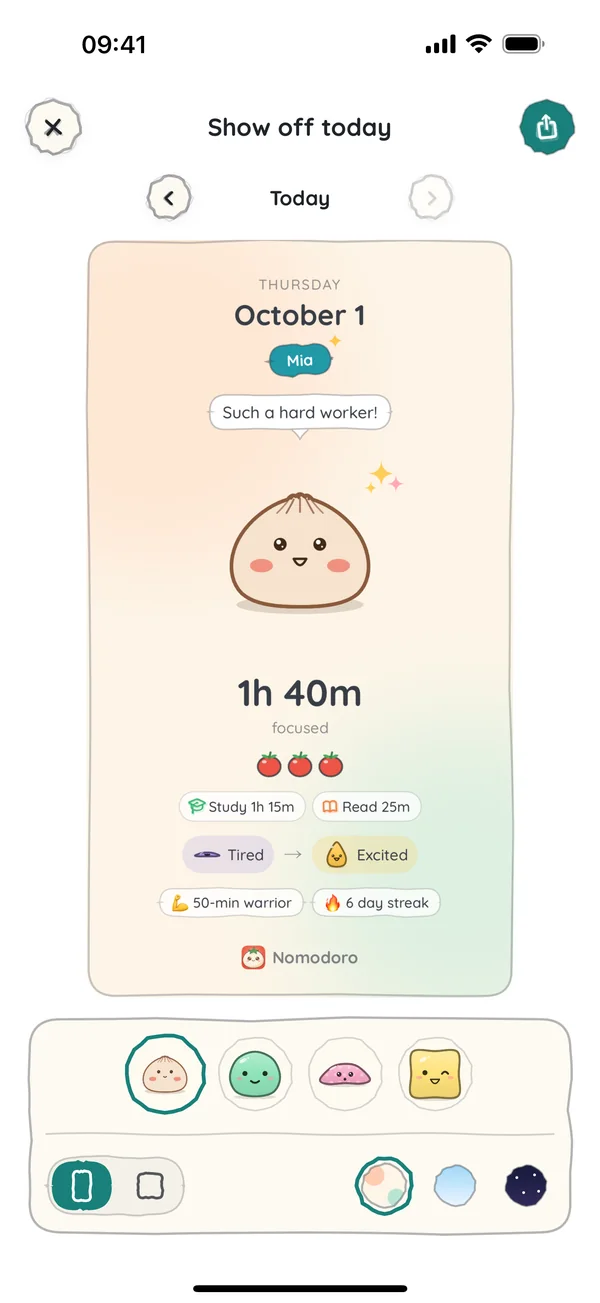
Tap any day on the activity map or the week chart to see its focus time, sessions and longest focus. Your mood sits under each bar. Turn a day into a cute card in one tap.
Start your usual tasks in one tap. Pause or end from the Home Screen during a session.
Your timer stays on the Lock Screen and in the Dynamic Island.
Waves, rain and wind to begin. Pro adds birds, leaves, creek, fire, thunder, crickets and waterfall.
A soft night look for late study sessions.
Export and import a full backup any time — for everyone.
One task, low noise, kind rounds. Not a treatment — just a calmer way to begin.
Every focused minute earns gems. Claim a new companion when you have enough — five exclusives come with Pro.
Unlimited focus is free forever. Pro is optional — pick the plan that fits.
Everything to start today

Your own schedule, and a few treats
Prices in USD from the App Store catalog; local currency and tax may vary by region.
Yes. Unlimited focus sessions, every focus mode (Strict, Loose, Whitelist), one Focus hours window, full history and charts, backup, mood check-in and one custom slime stay free. Pro adds more Focus hours, a squad of up to 3 slimes, more sounds, custom breaks & rounds and exclusive friends. Other companions still need gems from focus.
Set daily time windows and pick the apps that distract you. During a window those apps stay locked, even when Nomodoro is closed. Finish a focus session and they open for exactly your break, then lock again. Free: one window every day, up to 3 apps. Pro: up to 5 windows on the days you choose, any number of apps and whole categories. It uses Apple’s Screen Time API, and your choices never leave your iPhone.
Yes, in two ways, both built on Apple’s Screen Time. Whitelist mode shields every app except the ones you allow while a focus session runs. Focus hours lock the apps you pick at the times you set every day, and open them only for the break after a finished session. Both are in the free version.
Both give you a cute reason to stay off your phone. In Forest a tree grows while you focus. In Nomodoro a little buddy and your slime squad keep you company, cheer when you finish, get sad if you give up (quitting takes a 3-second hold) and react to your mood. Nomodoro can also lock distracting apps with Apple’s Screen Time, during a session or at set hours. Unlimited focus and every focus mode are free.
It uses Apple’s Screen Time API. You pick up to 10 apps that stay allowed; every other app is shielded only while a focus session runs, and released when it ends. Your app choices never leave your iPhone.
Yes — hold End for 3 seconds. Your buddy gets a little sad while you hold, and cheers if you let go. A count-up session just asks to save.
Complete focus sessions to earn gems, then claim doodle companions. Pro unlocks five exclusives (bubble tea, donut, puppy, capybara, apple) without gems — everyone else still needs enough gems to claim.
Try Monthly if you want flexibility. Yearly is the best value (~58% less than paying month-to-month) and starts with a 7-day free trial — we remind you 2 days before it ends. Lifetime is one payment if you know you’ll stay.
Ideas, bugs, or “this felt confusing” — it all helps. Opens your email app.
Download Nomodoro on iPhone. Begin without overwhelm.